


Jak mogę połączyć Invantive Drive z AFAS Profit w 5 minut?
Aby podłączyć Invantive Drive do AFAS Profit, wykonaj poniższe czynności. Wystarczy znajomość Invantive Drive, własnej działalności oraz administracji AFAS Profit.
AFAS Online to internetowe oprogramowanie do księgowości, ERP i obsługi płac przeznaczone dla holenderskich firm. AFAS Online ma około 15 000 klientów, w tym większość z 30 największych firm księgowych w Holandii. AFAS Online to wersja chmurowa oprogramowania biznesowego AFAS Profit. AFAS Online działa w ramach hostowanej sesji zdalnego pulpitu systemu Windows – podobnie jak AFAS Profit – zapewniając łatwy dostęp do dużych zbiorów danych biznesowych. AFAS może obsługiwać setki firm w jednym środowisku.
No technical knowledge is needed to show the documents of AFAS Profit in Windows Explorer with Invantive Drive. This step-by-step plan tells you exactly which steps to go through on Invantive Cloud and on your PC.
Oto kroki, które należy wykonać, aby podłączyć Invantive Drive do AFAS Profit:
- Załóż konto w Invantive Cloud.
- Utwórz bazę danych AFAS Profit.
- Install Invantive Drive on Windows.
- Sign in to Invantive Drive and choose the AFAS Profit database.
- Open your AFAS Profit documents in Windows Explorer.
Invantive Cloud offers a AFAS Profit connector for Invantive Drive, and 29 other platforms show their documents in the same folder of Windows Explorer.
Gdy masz pytania, sprawdź fora dla AFAS Profit.
Załóż konto w Invantive Cloud
Pomiń ten krok, jeśli masz już konto w Invantive Cloud. W przeciwnym razie wykonaj poniższe czynności jednorazowo, aby zarejestrować konto w Invantive Cloud:
-
Przejdź do strony początkowej Invantive Cloud.
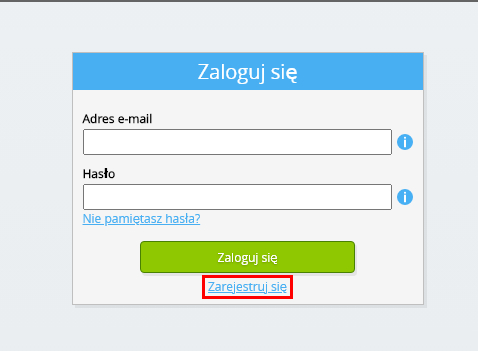
Kliknij przycisk „Zaloguj się”.
-
Kliknij przycisk „Zarejestruj się”.
-
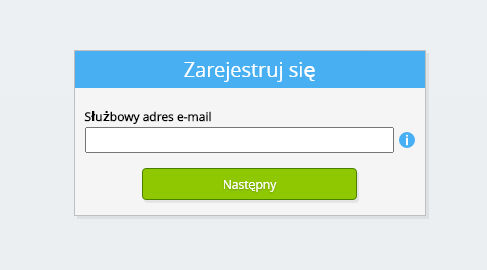
Wprowadź swój służbowy adres e-mail.
-
Kliknij przycisk „Dalej”.
-
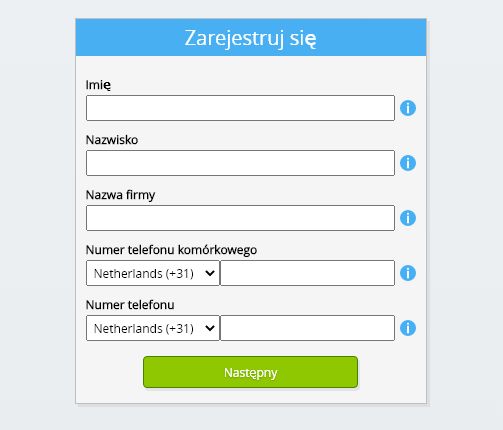
Wprowadź swoje dane osobowe.
-
Kliknij przycisk „Dalej”.
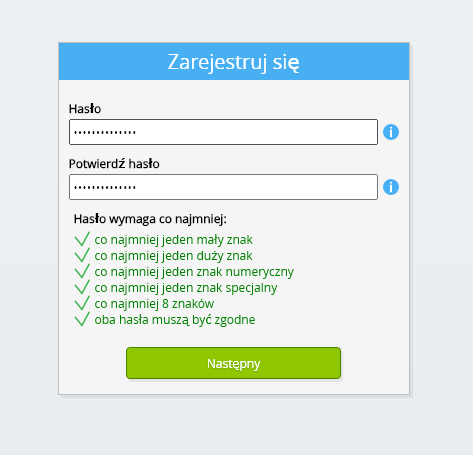
Wprowadź hasło i powtórz podane hasło.
-
Kliknij przycisk „Dalej”.
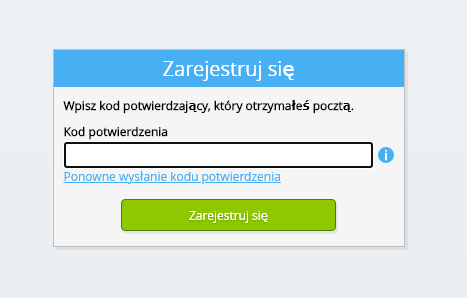
W ciągu 2 minut otrzymasz e-mailem sześciocyfrowy kod weryfikacyjny.
-
Wprowadź sześciocyfrowy kod weryfikacyjny.
-
Kliknij przycisk „Zarejestruj się”.
-
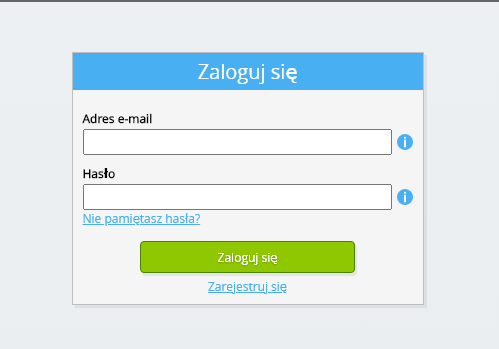
Zaloguj się teraz.
-
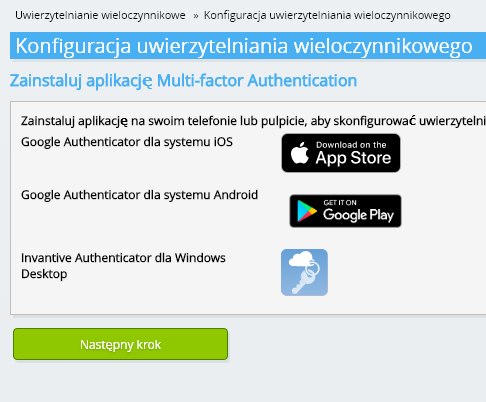
Upewnij się, że masz zainstalowaną w telefonie aplikację do uwierzytelniania. Kliknij przycisk „Dalej”.
-
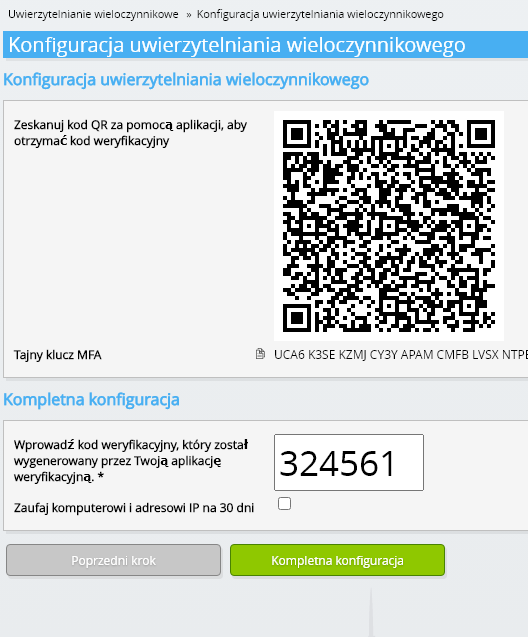
Dodaj wyświetlony kod QR do aplikacji uwierzytelniającej, wprowadź aktualny kod weryfikacyjny i wybierz opcję „Zakończ”.
-
Pomiń rejestrację organizacji.
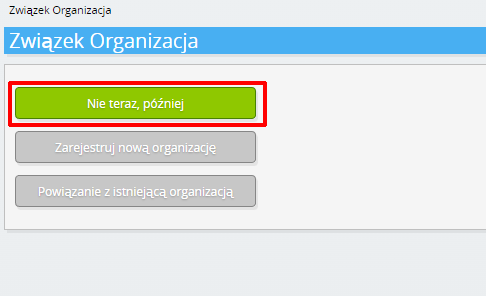
-
Wprowadź swoje dane osobowe i wybierz opcję „Zapisz”.
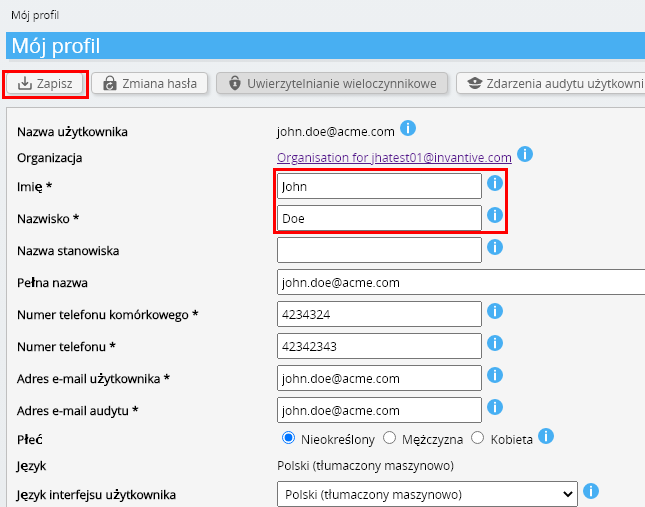
-
Przejdź do pulpitu nawigacyjnego.
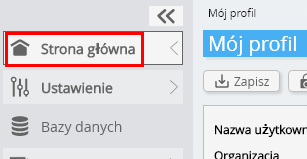
-
Zostanie wyświetlony panel sterowania Invantive Cloud.
Masz teraz kod logowania w Invantive Cloud, za pomocą którego możesz skonfigurować połączenie z AFAS Profit oraz wieloma innymi platformami. Ten sam kod logowania do Invantive oraz ten sam proces konfiguracji będziesz wykorzystywać dla wszystkich pozostałych platform.
Utwórz bazę danych AFAS Profit
W tym kroku konfigurujemy bazę danych zawierającą dane z AFAS Profit. Baza ta jest „wirtualna”, ponieważ nie jest to tradycyjna baza danych, lecz jest zasilana w czasie rzeczywistym z AFAS Profit. Invantive Cloud zapewnia Invantive Drive połączenie w czasie rzeczywistym z AFAS Profit. Baza danych będzie wykorzystywana do wszystkich raportów dotyczących AFAS Profit tworzonych w Invantive Drive. Wystarczy więc wykonać te czynności tylko raz.
-
Kliknij przycisk Dodaj bazę danych.
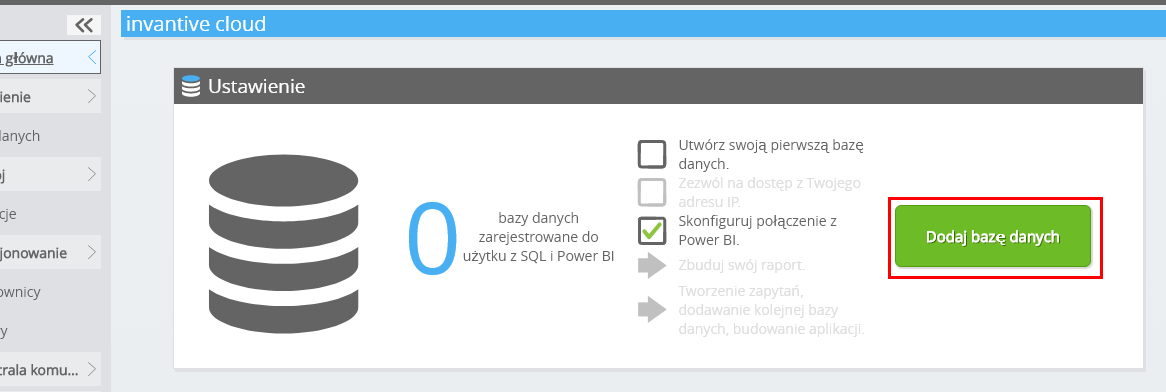
-
Wybierz AFAS Profit z listy.
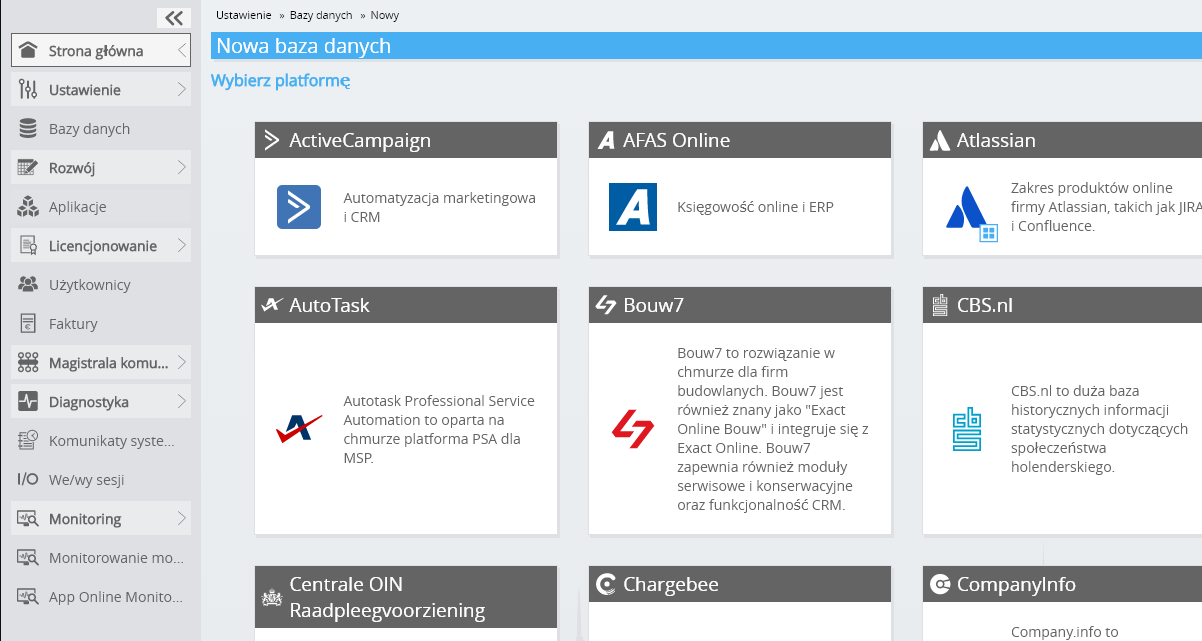
-
Proszę wypełnić formularz, podając dane logowania dla AFAS Profit.
Kliknij przycisk „OK”.
Gratulacje! Teraz możesz przetwarzać dane z AFAS Profit na stronie internetowej Invantive Cloud. Możesz to zrobić na przykład za pomocą interaktywnego edytora SQL.
Install Invantive Drive on Windows
Invantive Drive is a small Windows program. It registers a folder named Invantive Drive in Windows Explorer and fetches a document from the platform the moment you open it, the way OneDrive and Google Drive work.
-
Download the installer of Invantive Drive and run it.
Follow the installer; no settings are needed.
After the installation, Windows Explorer shows a folder named Invantive Drive under This PC, and the Invantive Drive window opens.
Sign in to Invantive Drive and choose the AFAS Profit database
Invantive Drive signs in with your Invantive Cloud account and lists the databases of that account. Pick the one you created in the previous step.
In the Invantive Drive window, choose Sign in and enter your Invantive Cloud user name and password, plus the code of your authenticator app when asked.
Choose Add database and select the AFAS Profit database from the list.
A folder named after the AFAS Profit database appears under Invantive Drive in Windows Explorer, with a subfolder per company and per kind of document.
Open your AFAS Profit documents in Windows Explorer
Explorer lists the names, dates and sizes of the AFAS Profit documents. A document is fetched the moment you open it.
- Online only: listed in Explorer, fetched when you open it, no disk space.
- Kept on this device: you opened it or marked it to keep, so it also works without internet.
Each app is a folder and each company a subfolder. A document is fetched the moment you open it.
Browse to a folder and double-click a document; it opens in the program Windows uses for that kind of file.
A cloud icon marks a document that is online only and takes no disk space; a green check mark one that is kept on this device. Right-click a document to keep it on this device or to free up space.
Right-click a document and choose Open in AFAS Profit to jump to it on the platform, where the platform offers a web page for it.
The AFAS Profit folders are read-only: AFAS Profit does not accept files from outside, so nothing is changed or deleted by accident.
What Invantive Drive Can And Cannot Do
Invantive Drive shows documents; it does not copy or move them. A document is fetched only when you open it, and every fetch is an ordinary request to AFAS Profit within the limits of your subscription. Only a platform that accepts uploads takes a changed file back; the folders of the other platforms are read-only.
Invantive Drive runs on Windows. On any other device the file browser in Invantive Cloud shows the same folders in your web browser.