


Jak propojím Invantive Drive s AFAS Profit za 5 minut?
Proveďte následující kroky pro připojení Invantive Drive k AFAS Profit. Potřebujete pouze znalost Invantive Drive, vlastního podnikání a administrativy AFAS Profit.
AFAS Online je online účetní, ERP a mzdový software pro nizozemské společnosti. AFAS Online má přibližně 15 000 zákazníků, včetně většiny 30 nejlepších účetních firem v Nizozemsku. AFAS Online je cloudová verze obchodního softwaru AFAS Profit. AFAS Online běží na hostované relaci vzdálené plochy systému Windows - podobně jako AFAS Profit - poskytuje snadný přístup k velkým objemům podnikových dat. AFAS dokáže spravovat stovky společností na životní prostředí.
No technical knowledge is needed to show the documents of AFAS Profit in Windows Explorer with Invantive Drive. This step-by-step plan tells you exactly which steps to go through on Invantive Cloud and on your PC.
Kroky pro připojení Invantive Drive k AFAS Profit jsou:
- Zaregistrujte si účet Invantive Cloud.
- Vytvořte databázi AFAS Profit.
- Install Invantive Drive on Windows.
- Sign in to Invantive Drive and choose the AFAS Profit database.
- Open your AFAS Profit documents in Windows Explorer.
Invantive Cloud offers a AFAS Profit connector for Invantive Drive, and 29 other platforms show their documents in the same folder of Windows Explorer.
Pokud máte dotazy, podívejte se na fóra AFAS Profit.
Registrovat účet na Invantive Cloud
Pokud již účet v Invantive Cloud máte, tento krok přeskočte. V opačném případě proveďte následující kroky jednou a zaregistrujte účet na Invantive Cloud:
-
Přejděte na úvodní stránku Invantive Cloud.
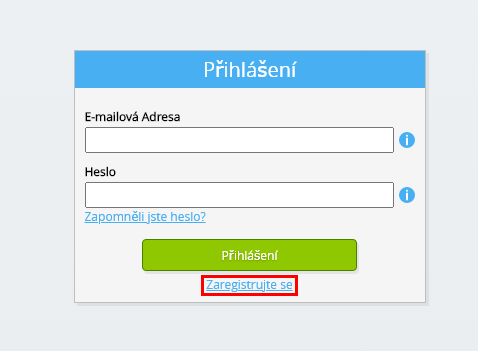
Vyberte tlačítko Přihlásit se.
-
Vyberte tlačítko Zaregistrovat se.
-
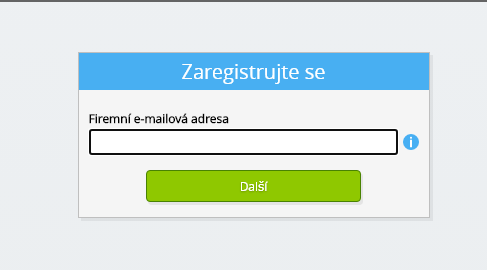
Zadejte svou firemní e-mailovou adresu.
-
Vyberte tlačítko Další.
-
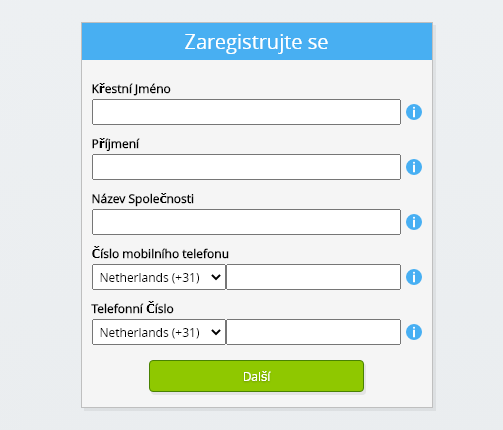
Zadejte své osobní údaje.
-
Vyberte tlačítko Další.
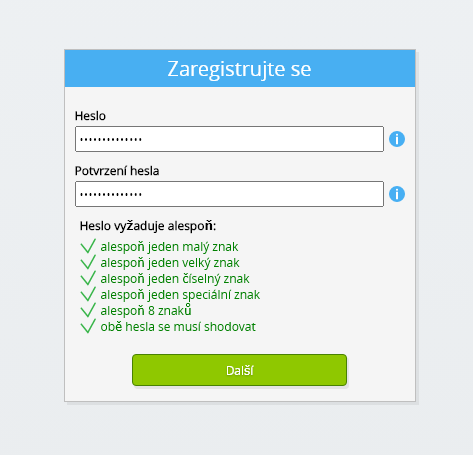
Zadejte své heslo a zopakujte zadané heslo.
-
Vyberte tlačítko Další.
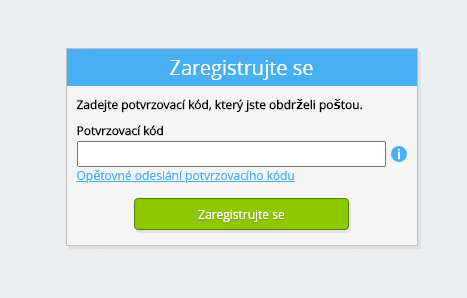
Do 2 minut obdržíte e-mailem šestimístný ověřovací kód.
-
Zadejte šestimístný ověřovací kód.
-
Vyberte tlačítko Zaregistrovat se.
-
Přihlaste se hned teď.

-
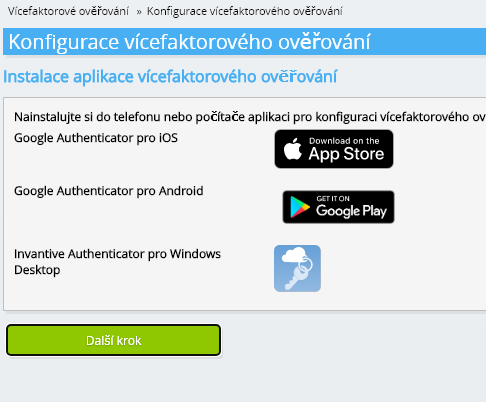
Ujistěte se, že máte v telefonu nainstalovanou ověřovací aplikaci. Vyberte tlačítko Další.
-
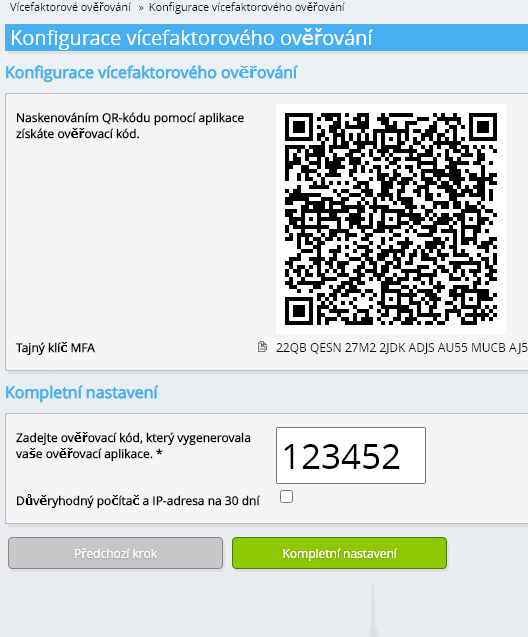
Přidejte zobrazený QR kód do ověřovací aplikace, zadejte aktuální ověřovací kód a zvolte „Dokončit“.
-
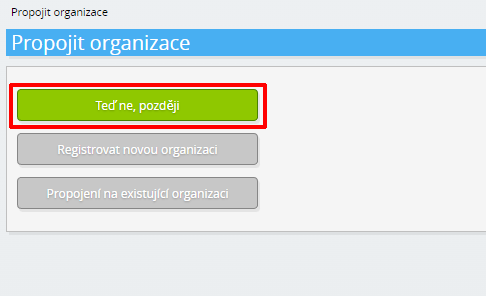
Přeskočit registraci organizace.
-
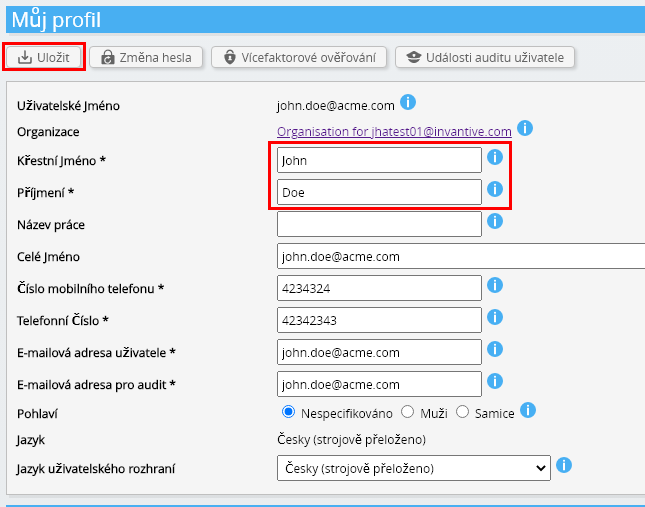
Vyplňte své osobní údaje a zvolte „Uložit“.
-
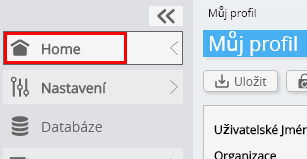
Přejděte na řídicí panel.
-
Zobrazí se přístrojová deska Invantive Cloud.
Nyní máte na Invantive Cloud přihlašovací kód, pomocí kterého můžete nastavit spojení s AFAS Profit a mnoha dalšími platformami. Pro všechny ostatní platformy použijete stejný přihlašovací kód a pracovní postup Invantive.
Vytvořit AFAS Profit databázi
V tomto kroku jsme nastavili databázi s daty z AFAS Profit. Databáze je „virtuální“, protože to není tradiční databáze, ale je krmena v reálném čase z AFAS Profit. Invantive Cloud poskytuje Invantive Drive odkaz v reálném čase na AFAS Profit. Databáze bude použita pro všechny vaše AFAS Profit vykazování s Invantive Drive. Takže stačí provést tyto kroky pouze jednou.
-
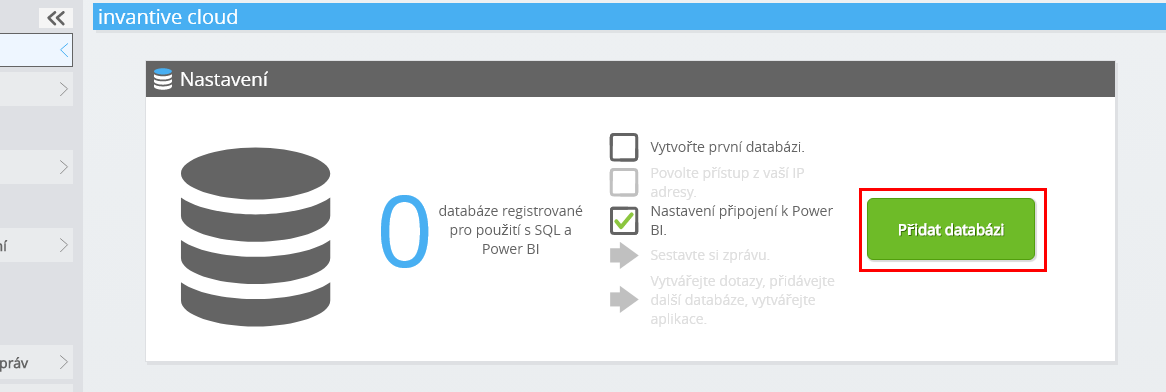
Klepněte na tlačítko Přidat databázi.
-
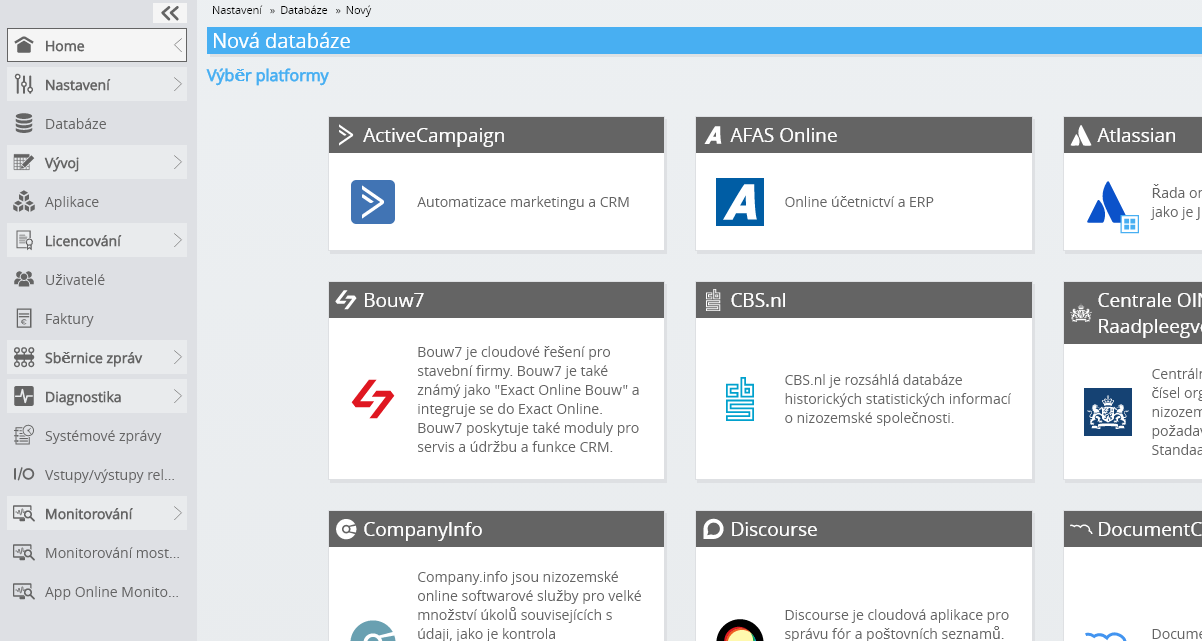
Vyberte AFAS Profit ze seznamu.
-
Vyplňte prosím formulář s přihlašovacími údaji pro AFAS Profit.
Vyberte tlačítko OK.
Gratulujeme! Nyní můžete zpracovávat data z AFAS Profit na webových stránkách Invantive Cloud. Můžete to udělat například pomocí interaktivního editoru SQL.
Install Invantive Drive on Windows
Invantive Drive is a small Windows program. It registers a folder named Invantive Drive in Windows Explorer and fetches a document from the platform the moment you open it, the way OneDrive and Google Drive work.
-
Download the installer of Invantive Drive and run it.
Follow the installer; no settings are needed.
After the installation, Windows Explorer shows a folder named Invantive Drive under This PC, and the Invantive Drive window opens.
Sign in to Invantive Drive and choose the AFAS Profit database
Invantive Drive signs in with your Invantive Cloud account and lists the databases of that account. Pick the one you created in the previous step.
In the Invantive Drive window, choose Sign in and enter your Invantive Cloud user name and password, plus the code of your authenticator app when asked.
Choose Add database and select the AFAS Profit database from the list.
A folder named after the AFAS Profit database appears under Invantive Drive in Windows Explorer, with a subfolder per company and per kind of document.
Open your AFAS Profit documents in Windows Explorer
Explorer lists the names, dates and sizes of the AFAS Profit documents. A document is fetched the moment you open it.
- Online only: listed in Explorer, fetched when you open it, no disk space.
- Kept on this device: you opened it or marked it to keep, so it also works without internet.
Each app is a folder and each company a subfolder. A document is fetched the moment you open it.
Browse to a folder and double-click a document; it opens in the program Windows uses for that kind of file.
A cloud icon marks a document that is online only and takes no disk space; a green check mark one that is kept on this device. Right-click a document to keep it on this device or to free up space.
Right-click a document and choose Open in AFAS Profit to jump to it on the platform, where the platform offers a web page for it.
The AFAS Profit folders are read-only: AFAS Profit does not accept files from outside, so nothing is changed or deleted by accident.
What Invantive Drive Can And Cannot Do
Invantive Drive shows documents; it does not copy or move them. A document is fetched only when you open it, and every fetch is an ordinary request to AFAS Profit within the limits of your subscription. Only a platform that accepts uploads takes a changed file back; the folders of the other platforms are read-only.
Invantive Drive runs on Windows. On any other device the file browser in Invantive Cloud shows the same folders in your web browser.