


How do I connect Claude to Centrale Voorziening Decentrale Regelgeving (KOOP, NL) in 5 minutes?
Execute the following steps to connect Claude to Centrale Voorziening Decentrale Regelgeving (KOOP, NL). You only need knowledge of Claude, your own business and the Centrale Voorziening Decentrale Regelgeving (KOOP, NL) administration.
Centrale Voorziening Decentrale Regelgeving is a public data collection with Dutch governmental data.
No technical knowledge is needed nor knowledge on the Centrale Voorziening Decentrale Regelgeving (KOOP, NL) APIs to connect Centrale Voorziening Decentrale Regelgeving (KOOP, NL) to Claude. This step-by-step plan will tell you exactly which steps you need to go through on Invantive Cloud to create your own Azure data warehouse with data from Centrale Voorziening Decentrale Regelgeving (KOOP, NL).
The steps to connect Claude to Centrale Voorziening Decentrale Regelgeving (KOOP, NL) are:
- Register an Invantive Cloud account.
- Create a Centrale Voorziening Decentrale Regelgeving (KOOP, NL) database.
- Grant connection from Claude access to Centrale Voorziening Decentrale Regelgeving (KOOP, NL)
- Connect Claude to Centrale Voorziening Decentrale Regelgeving (KOOP, NL) through the connector.
- Ask Claude a question about Centrale Voorziening Decentrale Regelgeving (KOOP, NL)
Invantive Cloud offers a Centrale Voorziening Decentrale Regelgeving (KOOP, NL) connector to download data from Centrale Voorziening Decentrale Regelgeving (KOOP, NL) into Claude, but there are over 110 other connectors available also for SQL, Power BI, Power Query, Qlik, Tableau i Azure Data Factory.
With the Centrale Voorziening Decentrale Regelgeving (KOOP, NL) connector for Claude you will by default fetch the data from all connected Centrale Voorziening Decentrale Regelgeving (KOOP, NL) companies in your dashboard. You can limit the number of Centrale Voorziening Decentrale Regelgeving (KOOP, NL) companies that are retrieved in Claude through the Database settings. For example, you can also limit the connector for Claude to the data from exactly one Centrale Voorziening Decentrale Regelgeving (KOOP, NL) company. Of course, you can also filter the data by a specific Centrale Voorziening Decentrale Regelgeving (KOOP, NL) company using a filter step in Claude. The Centrale Voorziening Decentrale Regelgeving (KOOP, NL) connector for Claude has advanced optimizations for great real-time performance with both a single Centrale Voorziening Decentrale Regelgeving (KOOP, NL) company as well as with hundreds of Centrale Voorziening Decentrale Regelgeving (KOOP, NL) companies.
When you are having questions, please check the forums for Centrale Voorziening Decentrale Regelgeving (KOOP, NL).
Register Account on Invantive Cloud
Skip this step when you already have an account on Invantive Cloud. Otherwise execute the following steps one time to register an account on Invantive Cloud:
-
Go to Invantive Cloud start page.
Select the Log on-button.
-
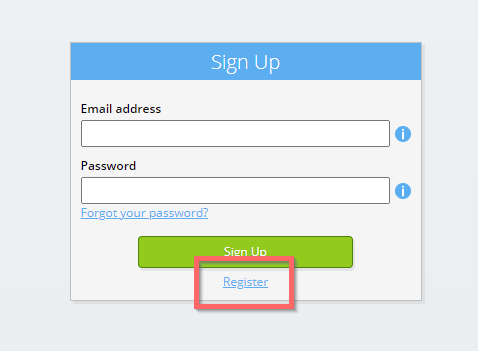
Select the Sign Up-button.
-
Enter your business email address.

-
Select the Next-button.
-
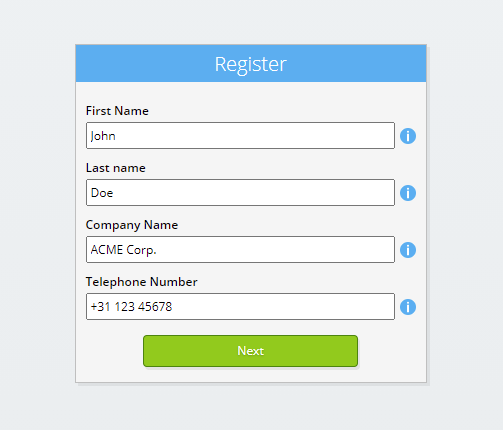
Enter your personal data.
-
Select the Next-button.
Enter your password and repeat the provided password.
-
Select the Next-button.
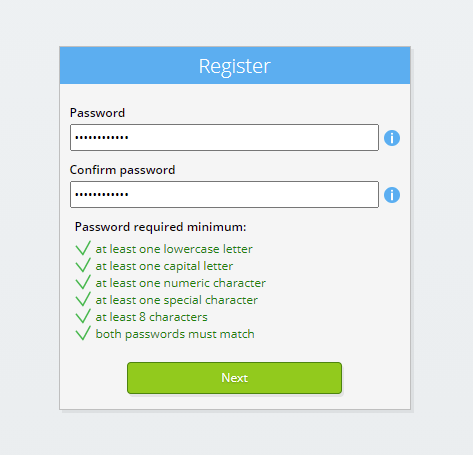
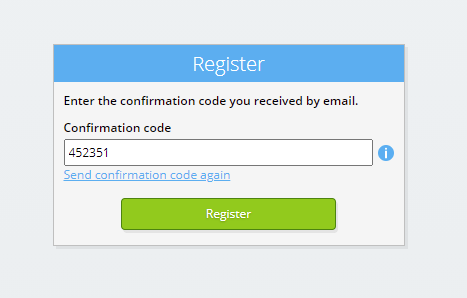
You will receive a six-digit verification code by email within 2 minutes.
-
Enter the six-digit verification code.
-
Select the Sign Up-button.
-
Log on now.
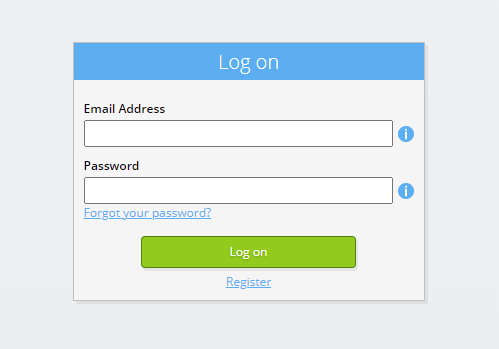
-
Make sure you have an authentication app installed on your phone. Select the Next-button.
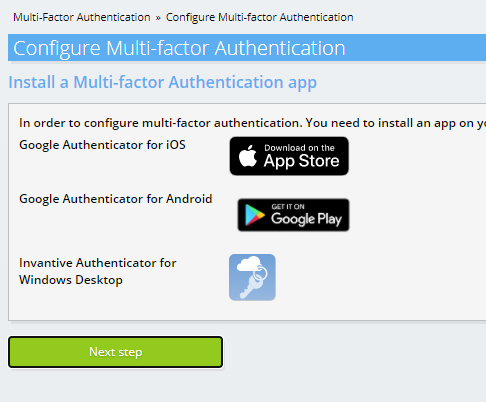
-
Add the displayed QR code to the authentication app, enter the current verification code, and choose "Finish".
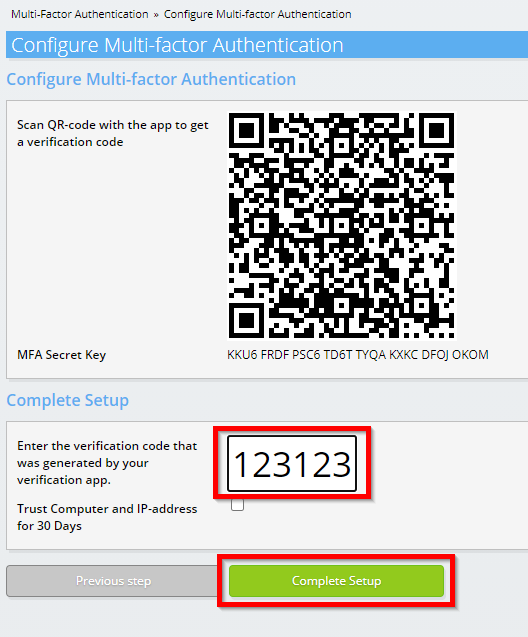
-
Skip registration of the organisation.
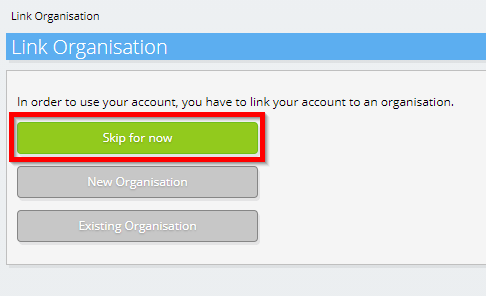
-
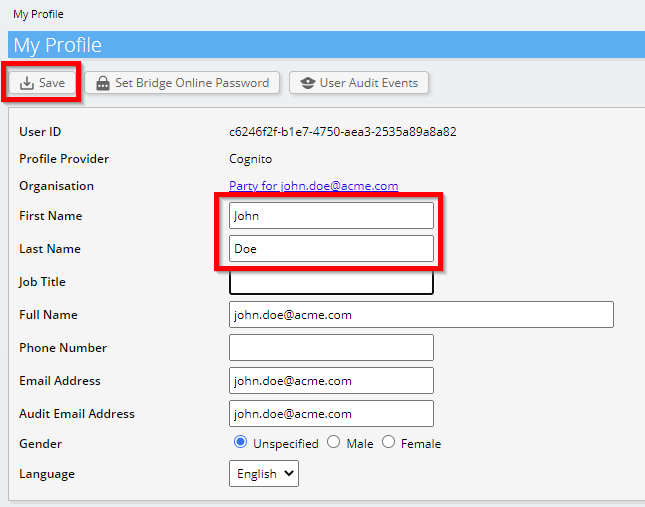
Complete your personal data and choose 'Save'.
-
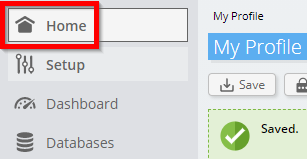
Go to the dashboard.
-
The Invantive Cloud dashboard will be shown.
You now have a login code on Invantive Cloud with which you can set up the connection with Centrale Voorziening Decentrale Regelgeving (KOOP, NL) and numerous other platforms. You will use the same Invantive login code and workflow for all other platforms.
Create Centrale Voorziening Decentrale Regelgeving (KOOP, NL) database
In this step, we set up a database with data from Centrale Voorziening Decentrale Regelgeving (KOOP, NL). The database is "virtual" because it is not a traditional database, but is fed real-time from Centrale Voorziening Decentrale Regelgeving (KOOP, NL). Invantive Cloud provides Claude with a real-time link to Centrale Voorziening Decentrale Regelgeving (KOOP, NL). The database will be used for all your Centrale Voorziening Decentrale Regelgeving (KOOP, NL) reporting with Claude. So you only need to perform these steps once.
-
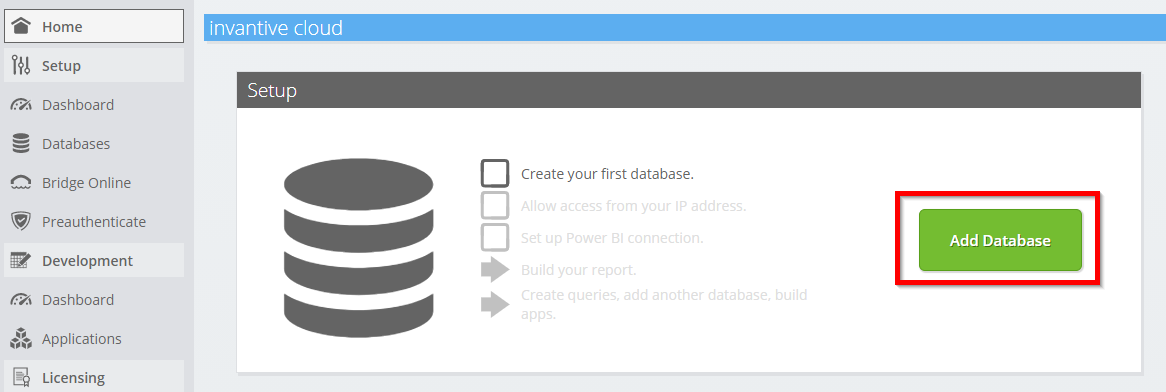
Click the Add Database button.
-
Select Centrale Voorziening Decentrale Regelgeving (KOOP, NL) from the list.

-
Please fill out the form with login information for Centrale Voorziening Decentrale Regelgeving (KOOP, NL).
Select the OK-button.
Congratulations! You can now process data from Centrale Voorziening Decentrale Regelgeving (KOOP, NL) within the Invantive Cloud website. You can do this for example with the interactive SQL editor.
Grant connection from Claude access to Centrale Voorziening Decentrale Regelgeving (KOOP, NL)
To retrieve the data from Claude we create a link via Invantive Bridge Online. This creates a "bridge" between the cloud of Invantive and the standard OData connector that is available in every version of Claude. You do not need to install anything locally: no connector, no ado.NET provider and no Claude add-on neither.
Execute the following steps to safely use the data from Centrale Voorziening Decentrale Regelgeving (KOOP, NL) outside of Invantive Cloud:
Next to the database you will find an orange text requesting you to allow access from your current location (IP address). Select the nearby orange button.
You can completely disable IP address checking by entering an asterisk ("*").
You are now ready to import the Centrale Voorziening Decentrale Regelgeving (KOOP, NL) data into Claude.
Configure the MCP connector in Claude for Centrale Voorziening Decentrale Regelgeving (KOOP, NL)
In Claude the address of the MCP server is added once as a custom connector, after which the data of Centrale Voorziening Decentrale Regelgeving (KOOP, NL) is available in every conversation.
-
In Claude: open Settings and then Connectors, and choose to add a custom connector.

-
Paste the URL address of the MCP server copied in the previous step and confirm.

-
Log on with your Invantive Cloud account and approve the request.

-
Ask a question only your own Centrale Voorziening Decentrale Regelgeving (KOOP, NL) data can answer. The connector first reads the data model and then the records the question needs.

What Claude Can and Cannot Do
The connector offers tools such as to describe the data model and read records. There is no tool that writes, posts, deletes or executes SQL, so no instruction in a conversation can change anything in Centrale Voorziening Decentrale Regelgeving (KOOP, NL).
Reading is bounded by the database: platforms not in it and Centrale Voorziening Decentrale Regelgeving (KOOP, NL) companies not selected are not reachable.